A workspace decides who can see what. Most companies create one per team or per function, so a sales contract never turns up in an HR folder and a colleague only sees the agreements that concern them.
What a workspace controls
- Which documents are visible. Someone who is not a member of a workspace does not see its documents at all.
- Where reviews are saved. Every contract review asks which workspace to file the result in.
- Which playbooks and templates apply. Both can be scoped to a single workspace instead of the whole company.
- What each person can do. Workspace roles are set per workspace, so the same colleague can be an editor in one and read-only in another.
Create a workspace
- Open Company management → Admin settings in the sidebar, then go to Workspaces.
- Select Create workspace.
- Enter a workspace name your colleagues will recognise, and a short description of what belongs in it.
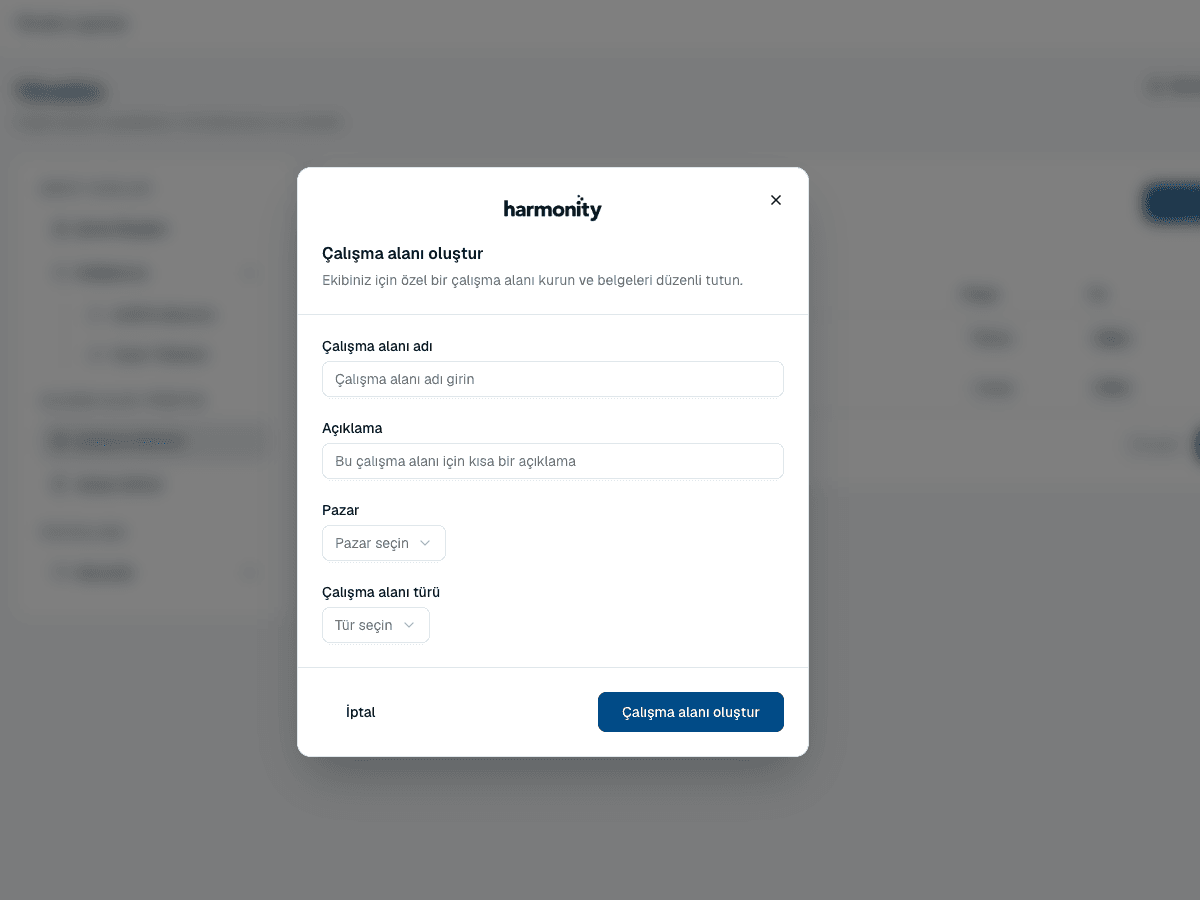 Source screenshots show the Turkish interface.
 - Choose the workspace type and the market it operates in.
- Select Create workspace, then add colleagues and give each one a workspace role.
Type and market
These two fields are not labels. They tell Harmonity what kind of agreements to expect and whose conventions apply, which improves how well AI drafting and review perform inside that workspace.
- Workspace type
- Sales, Marketing, Product, Engineering, HR, Finance, IT, Customer support, Legal or Procurement.
- Market
- Global, United States, United Kingdom, Sweden or Türkiye.
Common questions
Who can create a workspace?
Company admins and company managers. Workspace managers administer the workspaces they already manage but do not create new ones.
Can I move a document between workspaces?
Yes. Open the document from Files and use its move action to copy it into another workspace you belong to.
Can someone in another workspace see my contracts?
No. Visibility follows workspace membership. Someone who is not a member does not see the workspace's documents in Files, in search, or anywhere else.
About this guide
Imported from the application Help Center on 23 September 2026. The original content date is preserved. Product workflows and screenshots have not been revalidated against current account permissions and availability.